Create Better Videos with AI
Master Reeporter AI with our step-by-step guides. Save time, reduce credit usage, and get the highest quality results from every video you create.
Why These Guides Exist
Creating videos with AI seems simple — and often it is. But without a clear method, you can quickly waste time and credits.
Not all AI videos are created the same way. And AI is not an exact science — precise prompting changes everything.
- 📝Text only — Different approach than with images
- 🖼️Text + starting image — Controls the visual direction
- 🔗From URL — Articles, products, landing pages need different settings
- ⏱️Scene vs Story — 5 seconds vs 5 minutes = very different use cases
⭐ Featured Guides
Start here — our most essential guides for getting great results
Stock Media vs Full AI: When to Use Each
Understand the key differences and choose the right approach for your video project.
Keeping Characters Consistent Across Scenes
How to maintain facial identity throughout your entire video for professional storytelling.
Choosing the Best AI Model for Your Video
Match the right AI model (Sora, VEO, Kling, Runway) to your creative goals.
🧠 Key Concepts to Understand
Master these fundamentals before diving into advanced techniques
What is a Scene?
A scene is a short visual sequence lasting 4-10 seconds. SORA/VEO minimum is 4 seconds, KLING/SEEDREAM is 5 seconds. This affects your video structure.
Scene vs Full Story
Single scene videos (4-8 seconds) vs multi-scene stories (up to 5 minutes). Very different use cases requiring different approaches.
Prompting Matters
AI is not an exact science. Precise, well-structured prompts dramatically improve results. Guessing costs time and credits.
Getting Started
Create Your First Video
Step-by-step guide to creating your first AI video from text or URL.
Stock Media vs Full AI
When to use stock footage versus full AI generation for best results.
Using the Video Studio
Edit scenes, change voices, add music, and customize your videos.
Understanding Plans & Credits
How credits work and which plan is right for your needs.
Video Creation Methods
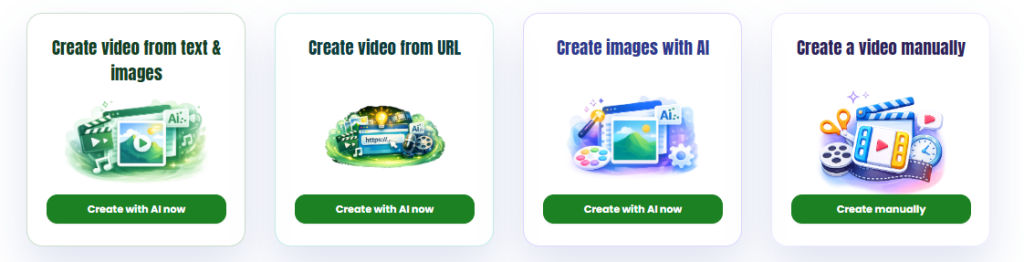
Create from Text
Generate videos from scripts, ideas, or detailed text prompts.
Create from URL
Transform articles, product pages, and landing pages into videos.
Generate AI Images
Create unique images with 5 AI models simultaneously.
Create Your AI Twin
Clone your face and voice for personalized video presenters.
Optimization & Quality
Character Consistency
Keep the same facial identity across multiple scenes.
Choosing AI Models
Match SORA, VEO, Kling, or Runway to your project goals.
Increase Conversions
How AI videos boost landing page performance and sales.
Advanced Studio Editing
Master transitions, timing, and multi-scene editing.
Advanced Techniques
💡 Pro Tips for Better Results
Quick wins to improve your AI video quality
Be Specific
Detailed prompts get better results than vague ones
Start with Images
Adding a starting image controls the visual direction
Match the Model
Different AI models excel at different styles
Edit After
Use the Studio to refine — don’t regenerate everything
Ready to Create Amazing Videos?
Put these guides into practice and start creating professional AI videos today.