
Your video is ready and it looks amazing!
But maybe one or two scenes could be even better?
No need to start over!
With Reeporter AI, you can edit, refine, and regenerate individual scenes in just a few clicks for a final result that perfectly matches your vision.
✏️ Step-by-Step Editing Guide
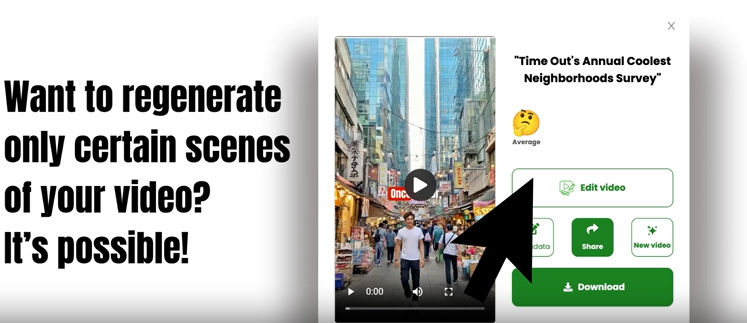
1. Click Edit Video
Open your project in the
video editor.
You’ll instantly see all your scenes displayed clearly ready to tweak, enhance, or replace.
2. Edit and customize your text
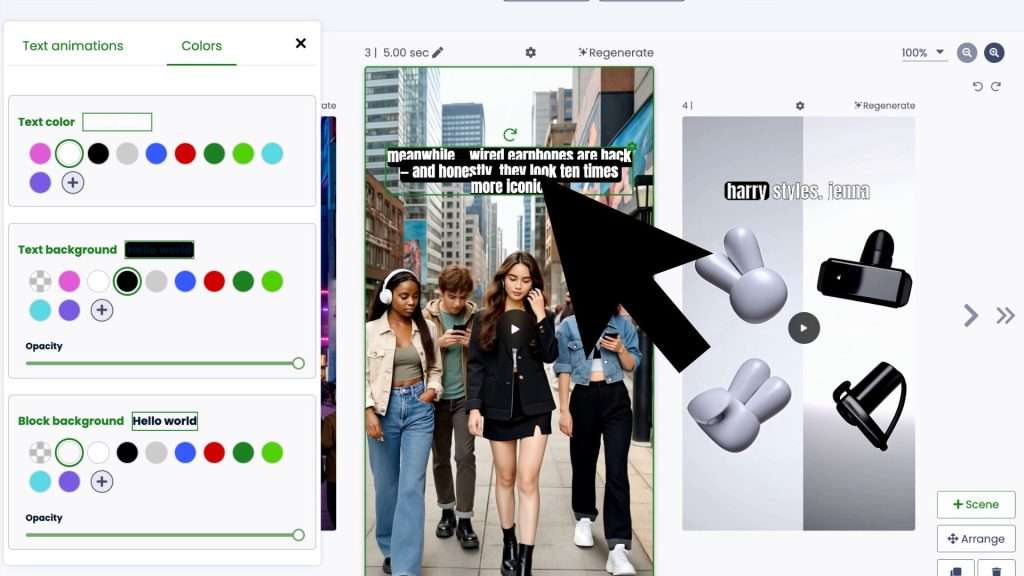
Modify your script scene by scene.
You can edit or rewrite the text, add new lines, and even change the text animation to make it more dynamic and engaging.
Highlight key words, make them appear with effects, or add transitions everything is customizable to match your story’s rhythm.
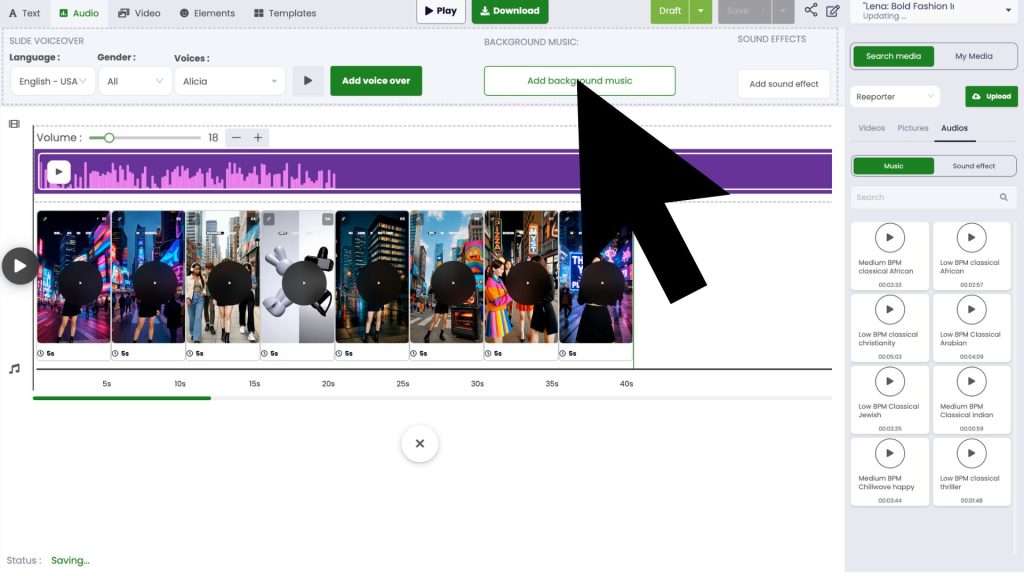
3. Add or change background music
Bring your video to life with the perfect soundtrack!
You can replace the background music, adjust the volume, or add multiple sound layers to match the tone of your video calm, epic, cinematic, or funny.
Just click on the music icon to explore and choose from hundreds of AI-curated tracks.
4. Add GIFs and animated illustrations
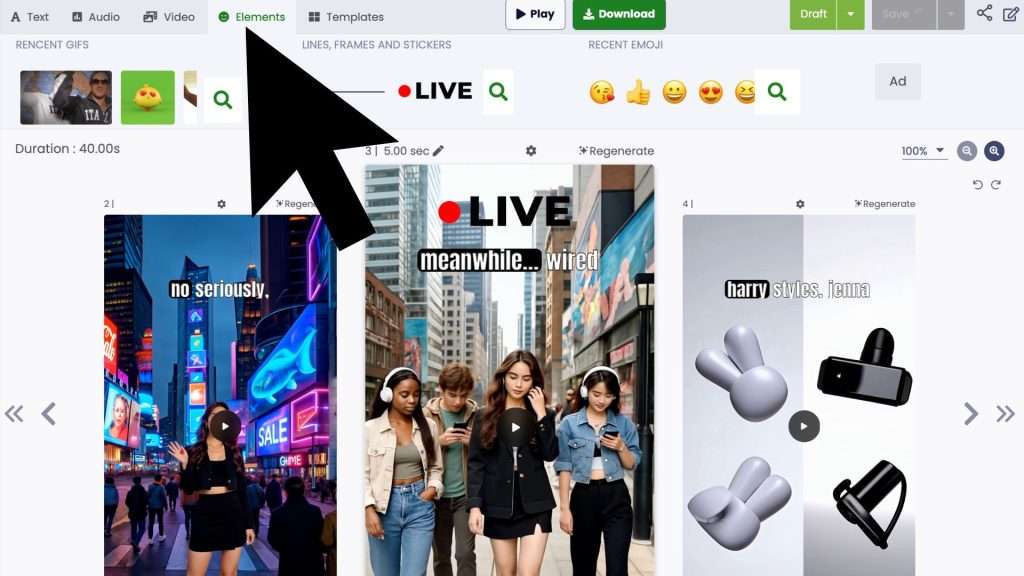
Make every scene more expressive by adding GIFs, stickers, or animated illustrations.
From fun reactions to professional visuals, these elements help your video stand out and connect emotionally with your audience.
5. Regenerate the Scene
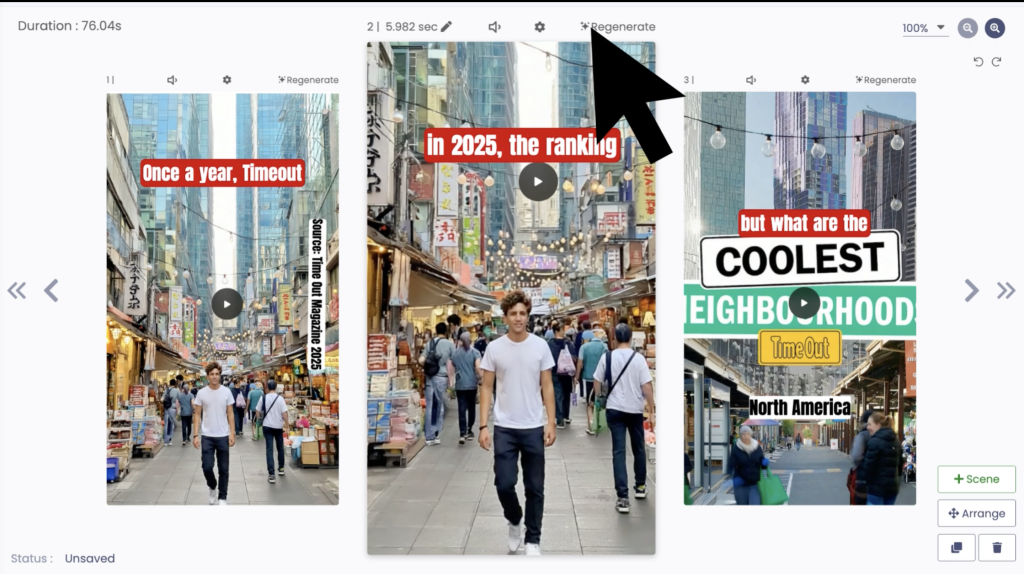
Choose the scene that needs improvement maybe an image doesn’t fit perfectly, or the background could better match your script.
Once you’re inside the scene editor, several customization options appear:
✅ Show or hide the presenter
🎙️ Change the presenter’s voice (tone, accent, or gender)
🌍 Write a short context describing where the scene takes place (e.g., “in a futuristic city at night”)
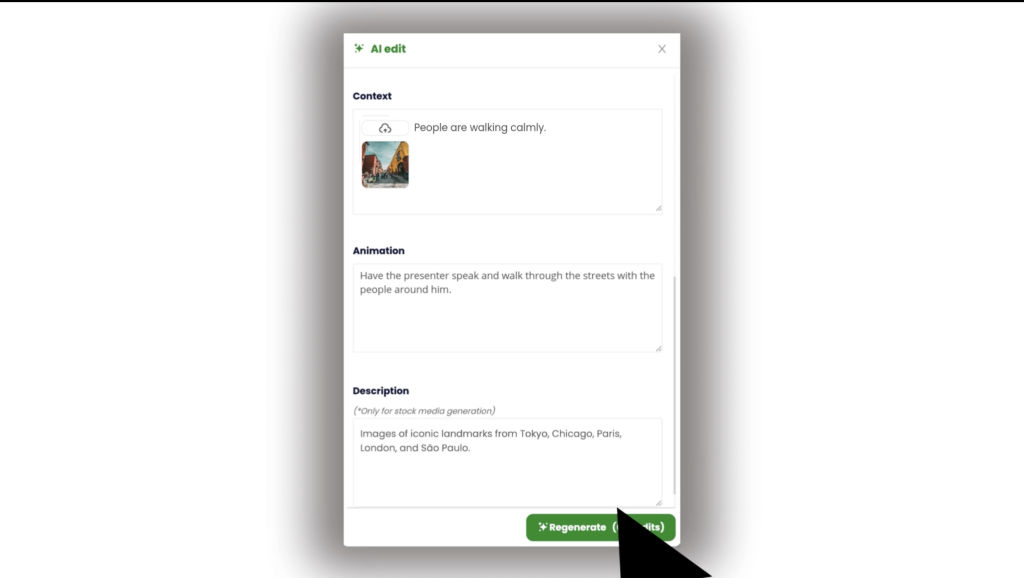
🖼️ Add 1–2 images to help guide the AI generation
🎬 Describe the action or animation (e.g., “A woman running on the beach at sunset”)
Then simply click Regenerate again to launch the scene update.
6. Regeneration Time
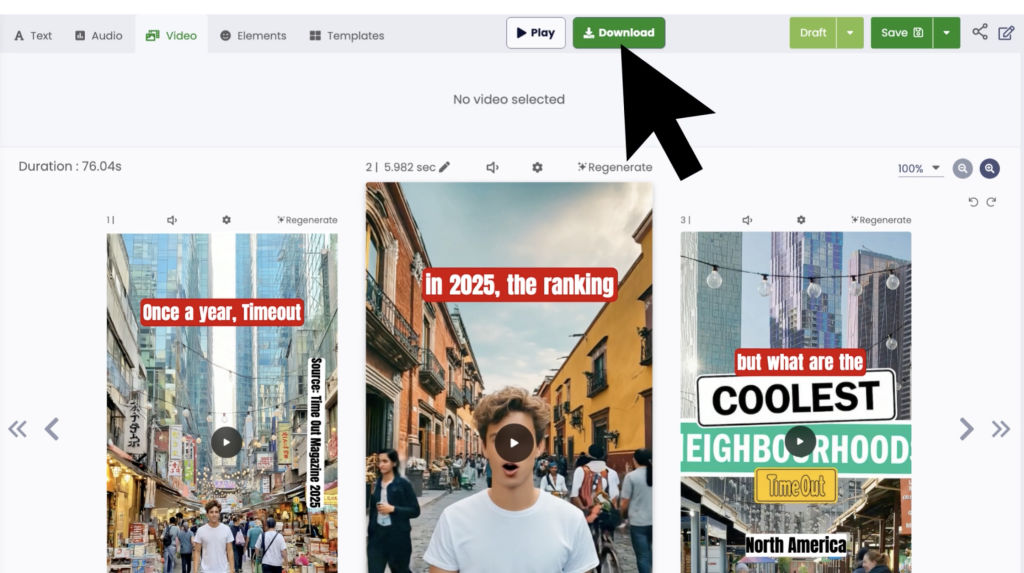
Each scene takes about 3 minutes to regenerate.
You can edit other scenes while you wait everything runs in parallel!
🕐 Tip: You can regenerate up to two scenes at once.
To start a third one, wait until one of the first two is finished.
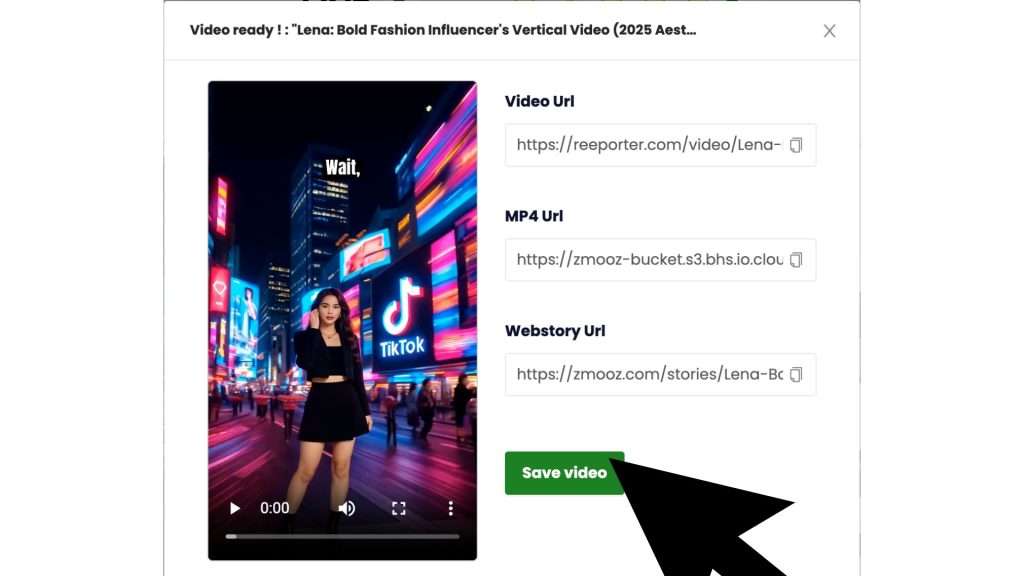
7. Share your creation
Once your video is ready, simply copy the share link and send it to your friends, family, or the entire world!
You can also post it directly on Instagram, TikTok, YouTube, or LinkedIn your story deserves to be seen everywhere.
While You Wait…
Use this time to polish the rest of your video and give it a professional touch:
Every adjustment helps make your video smoother, more engaging, and visually consistent.
🚀 Why Edit Instead of Regenerating Everything?
Because your video deserves precision — not repetition.
By regenerating only a few scenes, you can:
- Save time and credits 💡
- Keep the structure and rhythm you already love
- Maintain visual and narrative consistency across the entire project
Whether you’re creating a marketing video, an educational story, or a creative short — you can perfect each scene without losing what works.
🌟 Create. Edit. Perfect.
With Reeporter AI, your creativity doesn’t end when the video is generated.
You can rethink, adjust, and refine every detail until it’s exactly how you imagined it.