
Newspapers and magazines are the bedrock of our society’s culture and education.
We’re living through a media mutation where social networks are devouring all the attention of Gen Z and millenials, replacing information and culture with influence (or worse, propaganda).
It is therefore vital for media publishers to regain the upper hand by developing their reach and notoriety on social networks through video.
With Reeporter AI, publishers save an incredible amount of time, by simply copying the url of an article to transform it into a short video that integrates the narrative codes of social networks.
How does our article to AI VIDEO solution work?
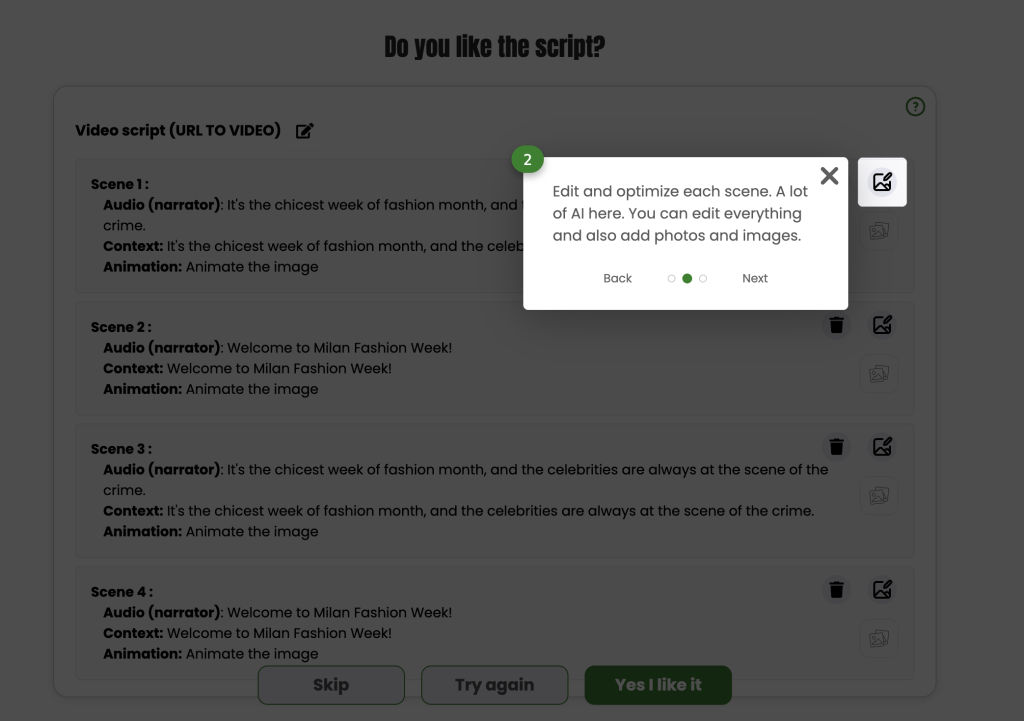
✅ 1. Full slide-by-slide editing
Reeporter AI has evolved significantly and now offers much more flexibility and creative control. Here are the major new features:
You can now edit every scene individually:
- Modify content per slide
- Reorder, delete or add new slides
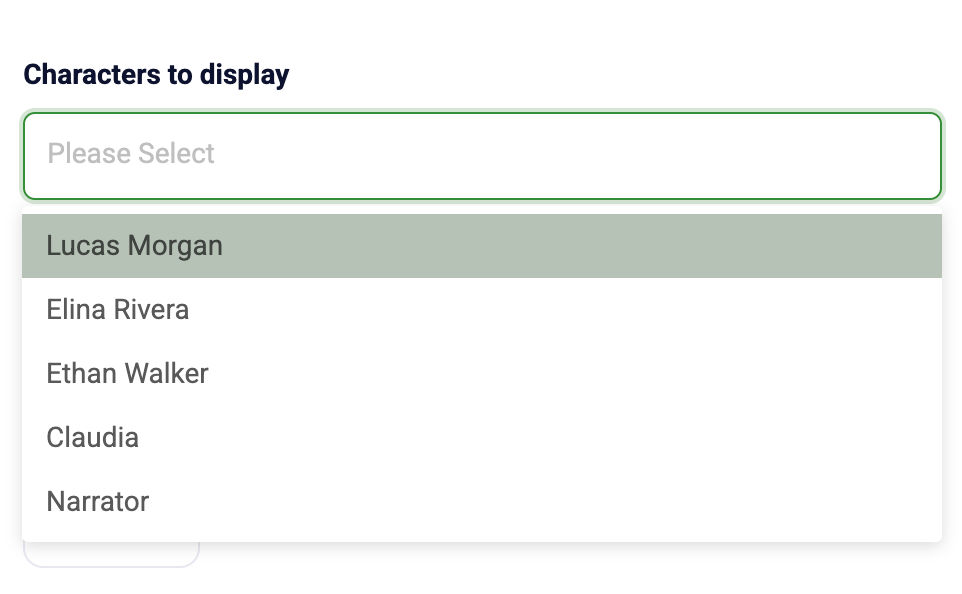
✅ 2. New field: Character to display
For each slide, you can decide whether a character appears or not:
- If you select a character → it will appear and speak
- If you leave the field empty → only a voice-over will play (no character on screen)
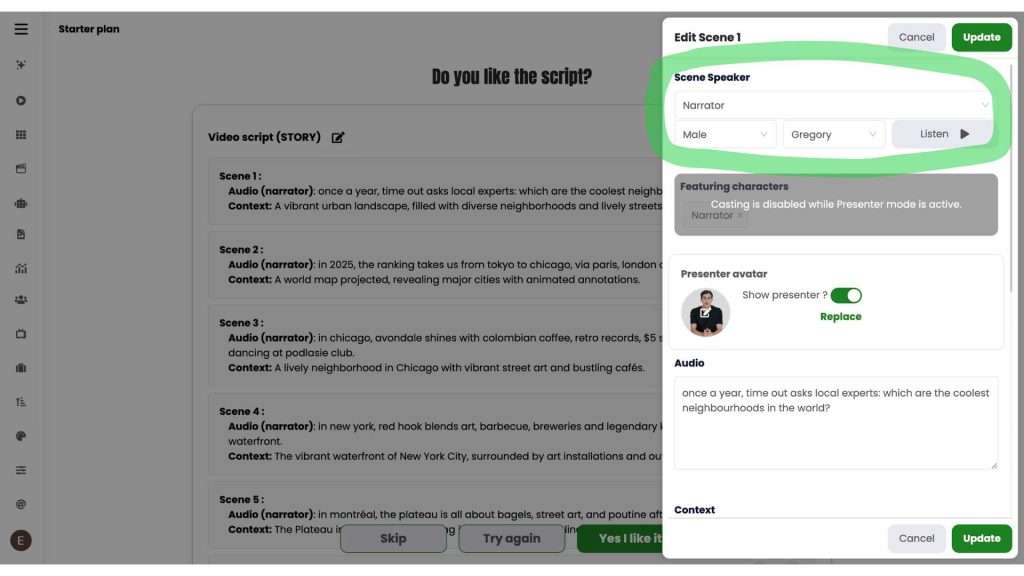
✅ 3. Choose a different voice per slide
Each scene can have its own AI voice for more dynamic storytelling.
✅ 4. Major update: the new Context system
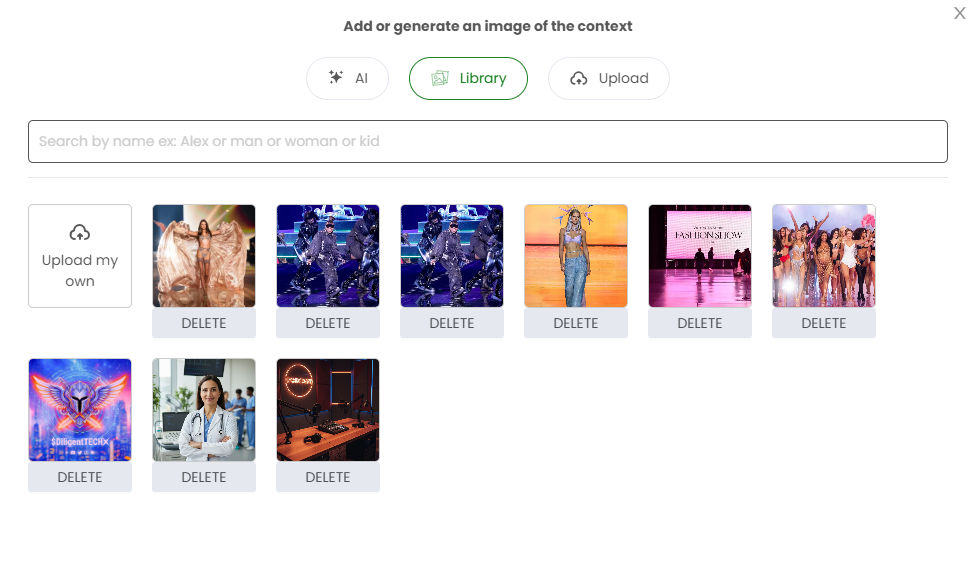
For each slide, you can now define the visual environment in 3 different ways:
✔ Upload 1–2 context images from your device
✔ Generate context images with AI directly inside Reeporter AI (GPT, Kling, NanoBanana, etc.)
✔ Use the article’s own images, automatically extracted and available in the Library
These images are used to generate the background, mood and visual style of the scene.
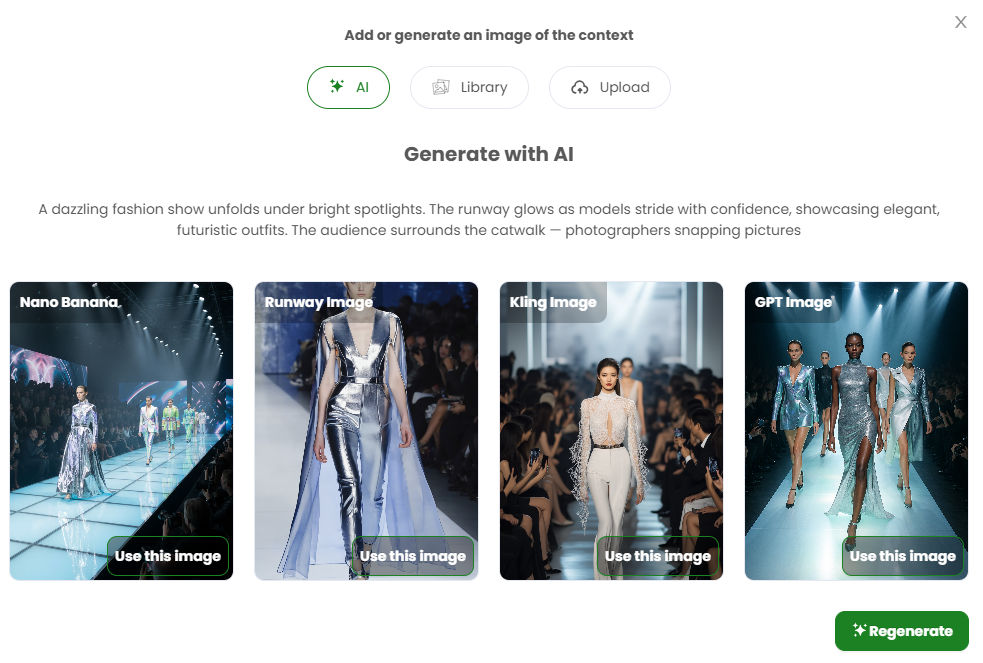
💡 You can also add a short text description to guide the AI and improve accuracy.
Unused images are not lost
All uploaded or AI-generated images are saved in the Library, so you can reuse them later at any time.
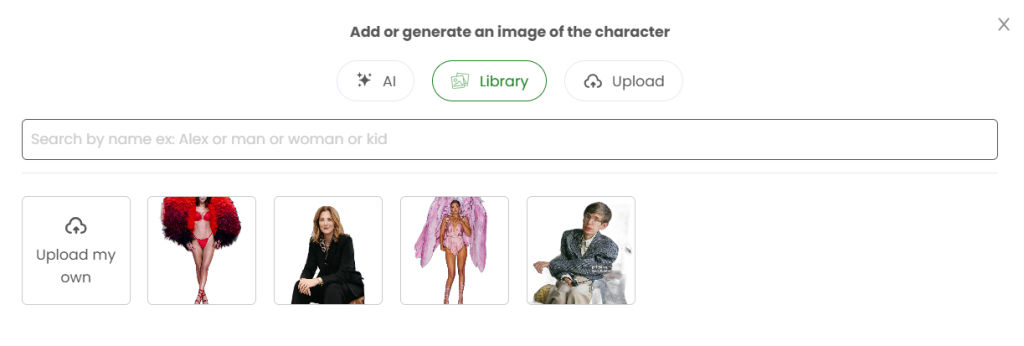
All images extracted from the original article are also saved in the Library, even if they are not used in the video by default, so you can manually reuse them whenever you want.
Our video solution enables any content editor to automatically generate a vertical video that summarizes and illustrates the article in just a few minutes, simply from the article link.
And a few moments later …
Once the video storyboard is ready, you can add your personal touch in it:
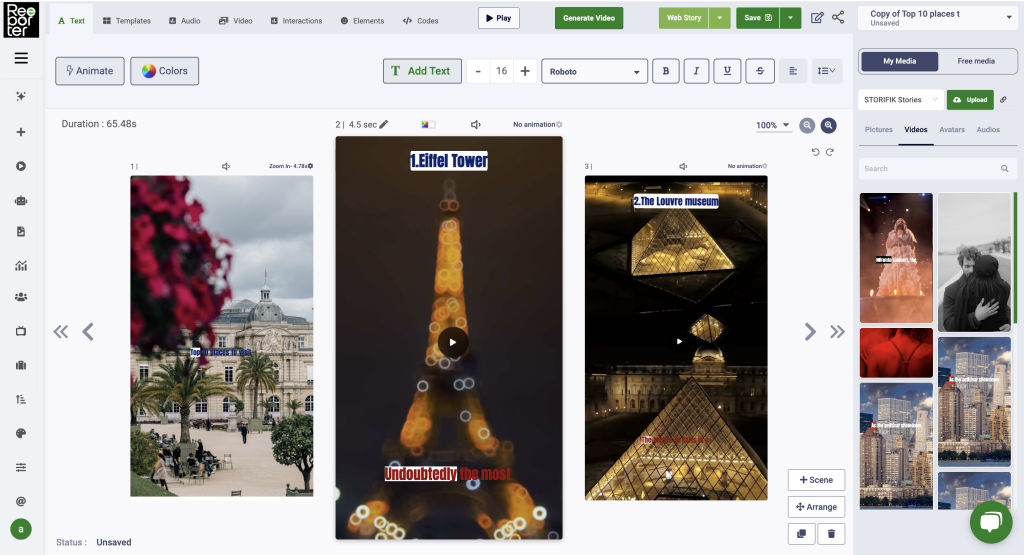
Our studio offers all the features needed to edit and animate texts and images, add or replace videos, add additional elements, create templates with brand-specific design, fonts and colors, modify voice-overs and even animate faces to make them talk!
Once the video project is ready , simply click on “Create video” to generate the video and download it after a few minutes.
Our platform meets the needs of publishers with a single site, as well as those of media groups with subsidiaries and numerous sites that can be managed from a single global account. Each site can have its own templates and editorial setup to meet the editorial and design requirements of publishers.
Some sites are structured in a particular way that may require settings that users mastering HTML can do on their own.
For publishers who wish, we offer sharp personalized customization services that allow to automatically and repeatedly obtain videos that perfectly meet the graphical and semantic requirements of the publisher (click here to see our services)
🚀 Test a URL