
🎬 See What Creators Are Making
Turn Your Reeporter Videos
into Revenue
It’s simple: create videos with Reeporter AI, post them on social media, mention reeporter.ai — and get paid every month based on your performance. Here’s how it works.
Get Started Free →How It Works — Step by Step
Follow these 7 simple steps to start earning from your videos.
Sign Up & Create Your First Video
Create your free Reeporter account and start generating videos. Any plan works — free or paid, you’re eligible for the creator program.
Create Your Video
Create a video automatically from a web page, text, or images. Edit it as you wish to make it perfect.
Edit the video as much as you wish, then click on “Generate video”.
After a few minutes, your video will be ready for sharing!
Share on Social Media & Mention Reeporter.ai
Share your video on TikTok, YouTube Shorts, Instagram Reels, Facebook.
⚠️ Important: To be eligible for payment, you must mention @reeporter.ai or reeporter.ai in your post caption, description, or video.
The more platforms you share on, the more views you get, the more you earn!
Check Your Stats Every Month
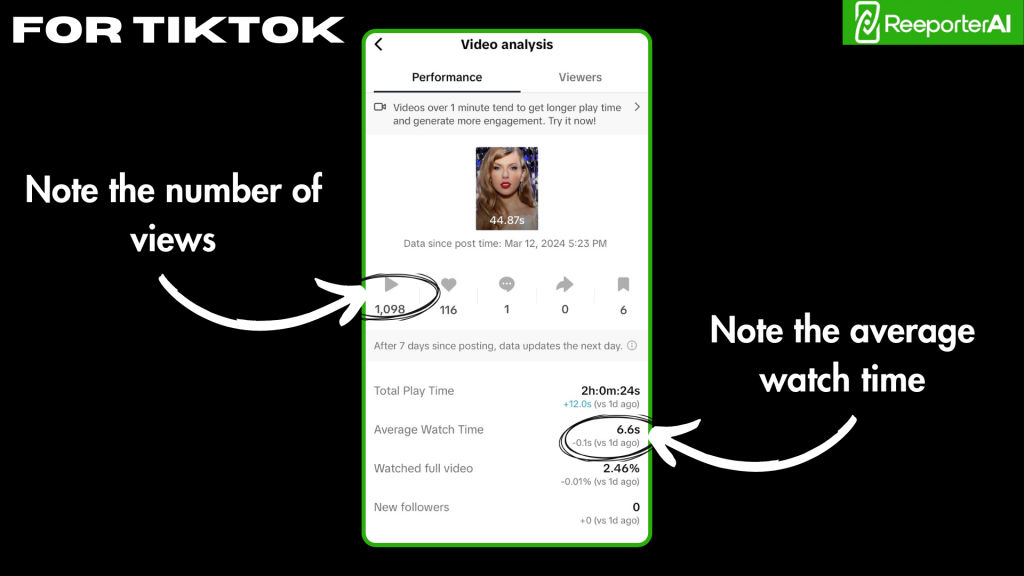
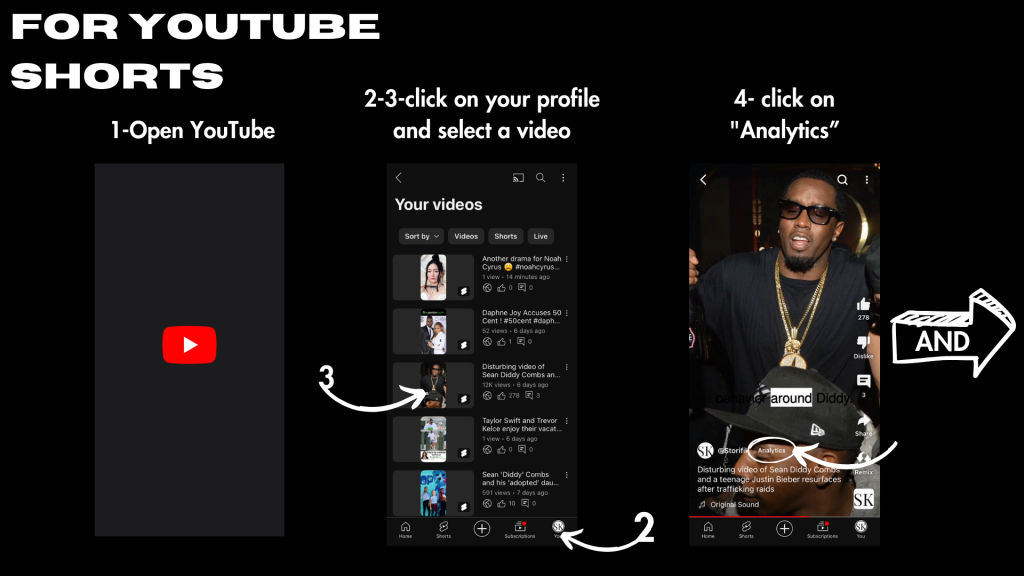
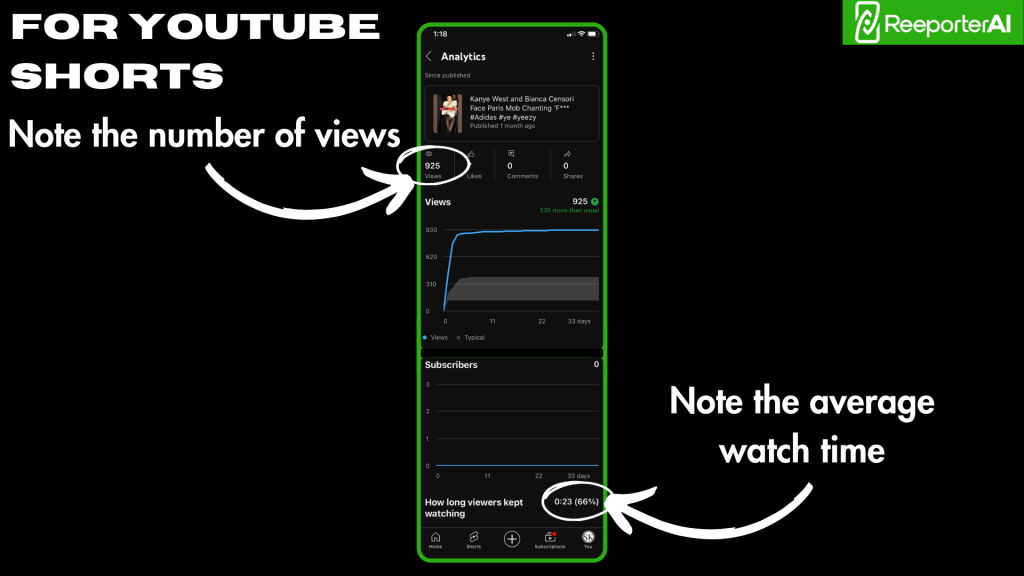
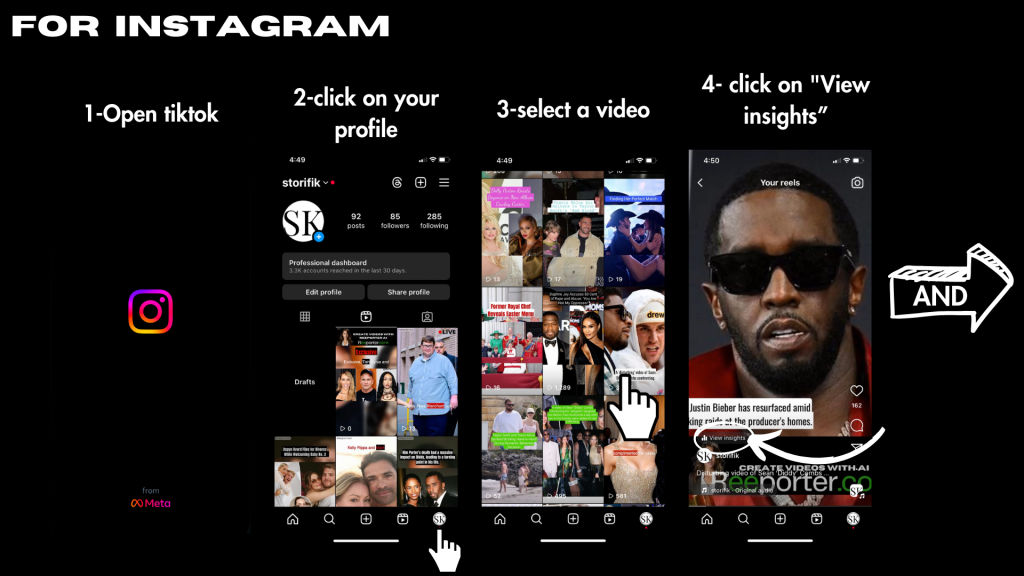
Every 1st or 2nd day of the month, connect to your social networks and check the total views of your Reeporter videos.
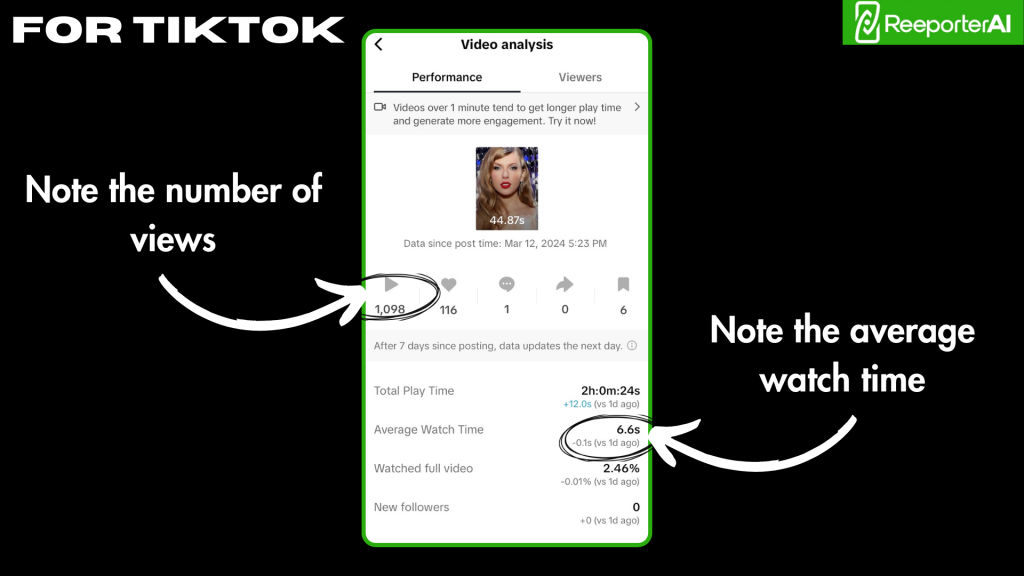
Take Screenshots of Your Stats
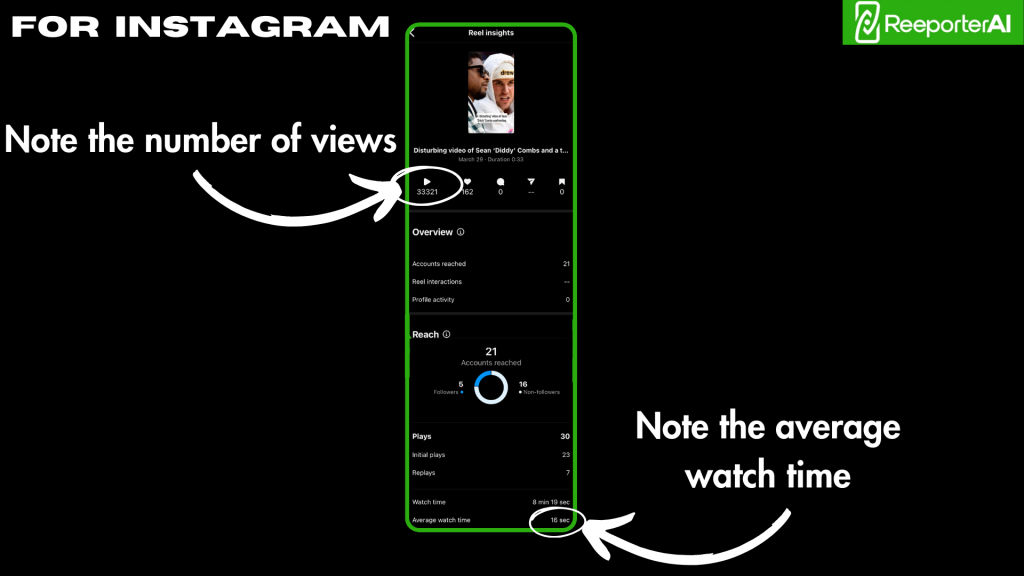
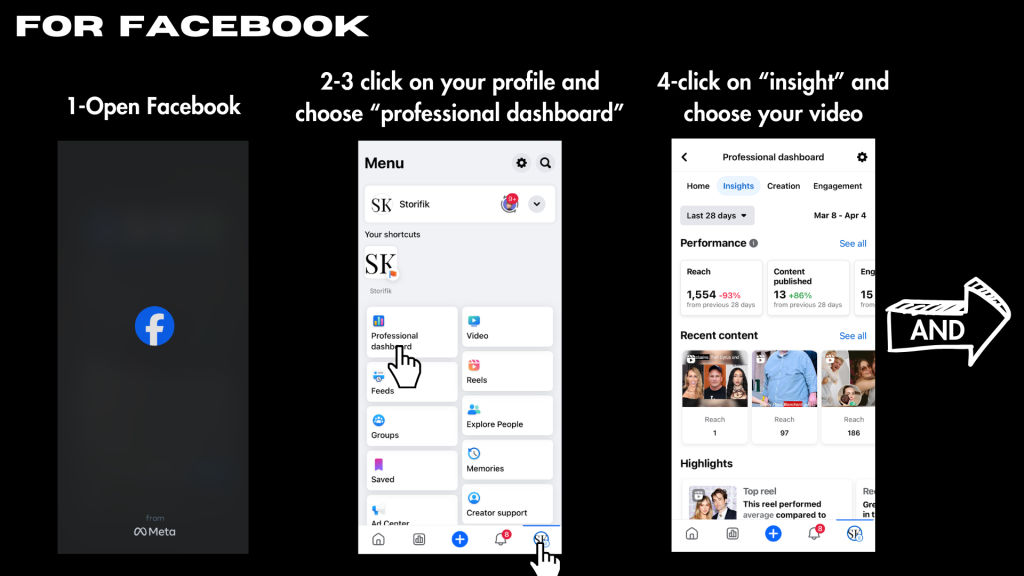
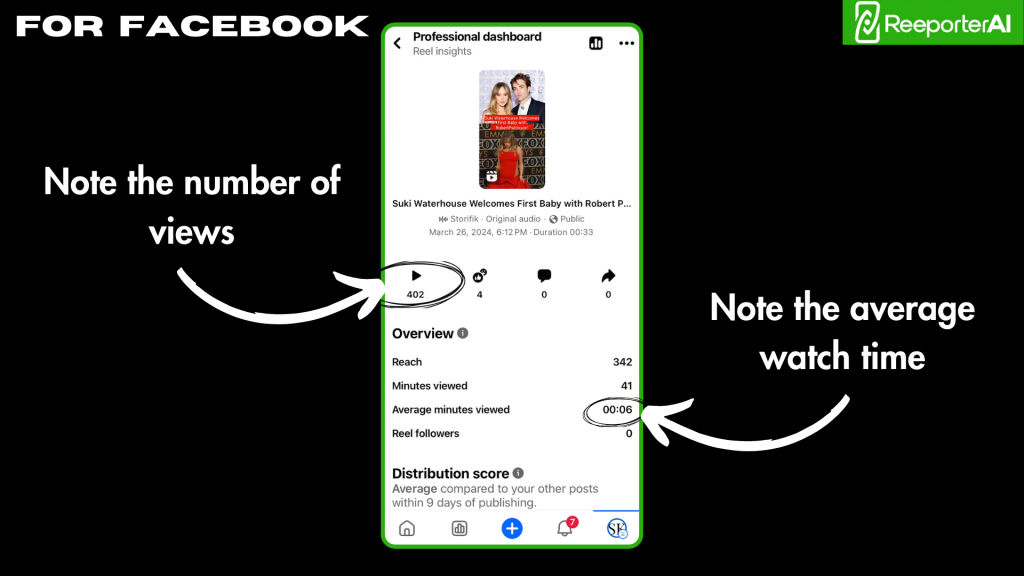
Copy the screens with the stats like the example below:
Create a Summary Table & Send It
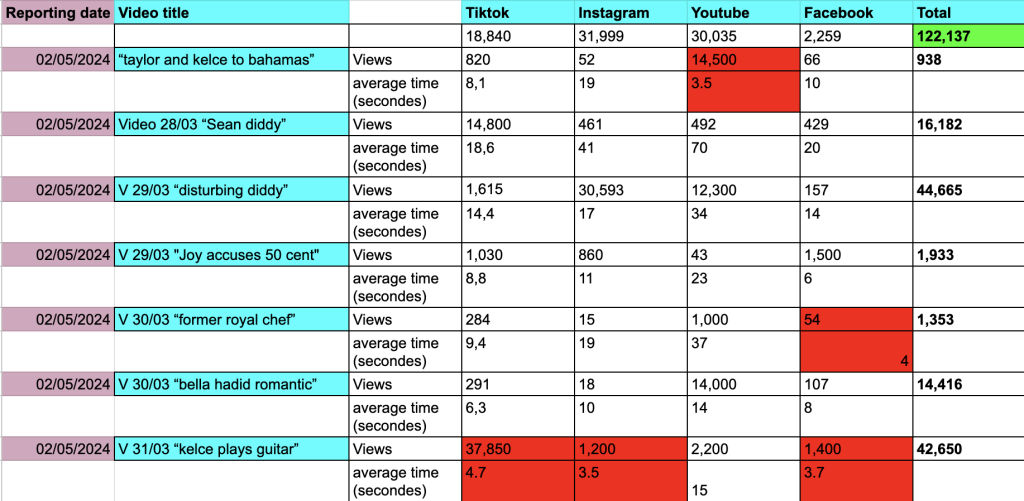
Make a table with your total eligible views and send it to us at [email protected]
Get Paid Within 30 Days
You’ll receive your payment within 30 days after submitting your report.
Eligibility Requirements
- ✓ Mention reeporter.ai in your post
- ✓ Total views count
- ✓ Average viewing time above 7 seconds
- ✗ Videos without mention of reeporter.ai are NOT eligible
- ✗ Videos with average view duration under 7s are NOT eligible
How to Get Your Eligible Views
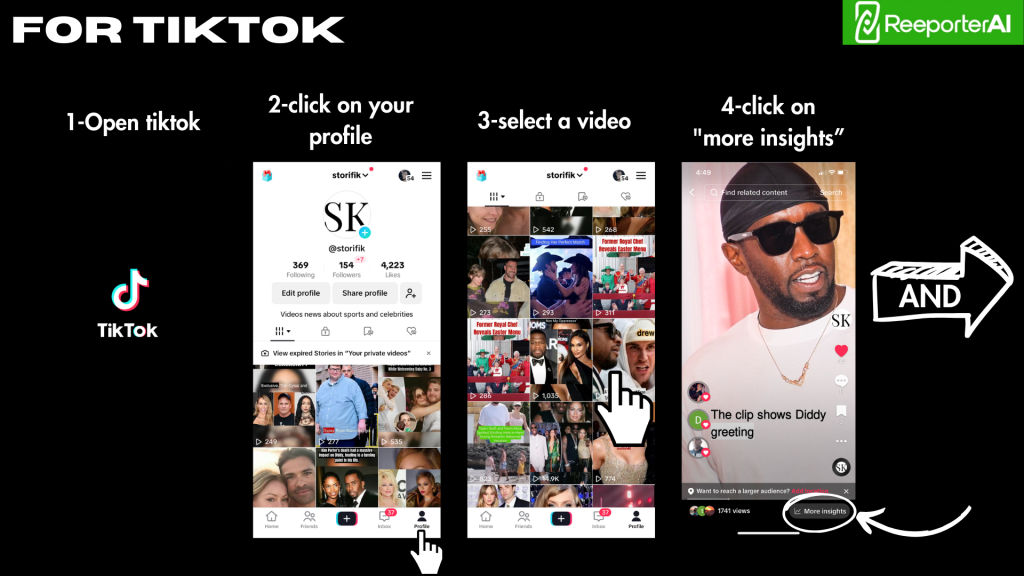
Platform-specific guides to find your stats.
TikTok
YouTube Shorts
Instagram Reels
Sum Up Your Data & Send It
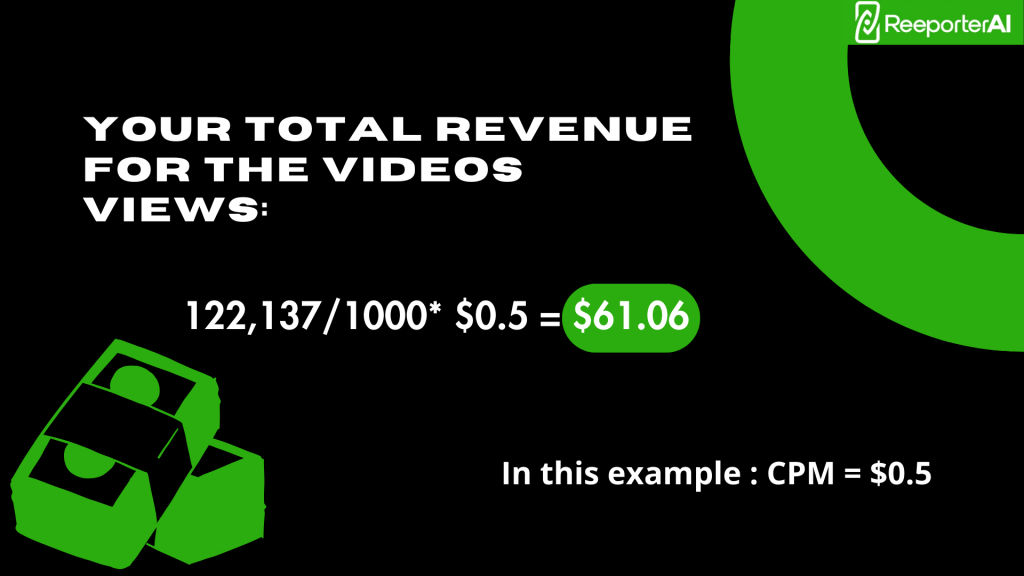
Create a summary table respecting the format below. The total number in green indicates the number of views for which you will be paid.
Boxes in red show views with an average view duration of less than 7 seconds — these views are NOT eligible for payment.
Include Your Payment Details
Make sure that your PayPal or Bank details are included in the email you send us.
Very Important Note
Reeporter may at any moment request access to your account analytics directly to check the declared numbers and validate the numbers sent.
This process is not systematic from our side, but we are free to check any report at any time by accessing your social accounts directly.
In case you refuse to grant us direct access to these accounts, your views will not be eligible for payment.
Ready to Earn with Your Reeporter Videos?
Create, share, mention reeporter.ai — and get paid every month!
Get Started Free →